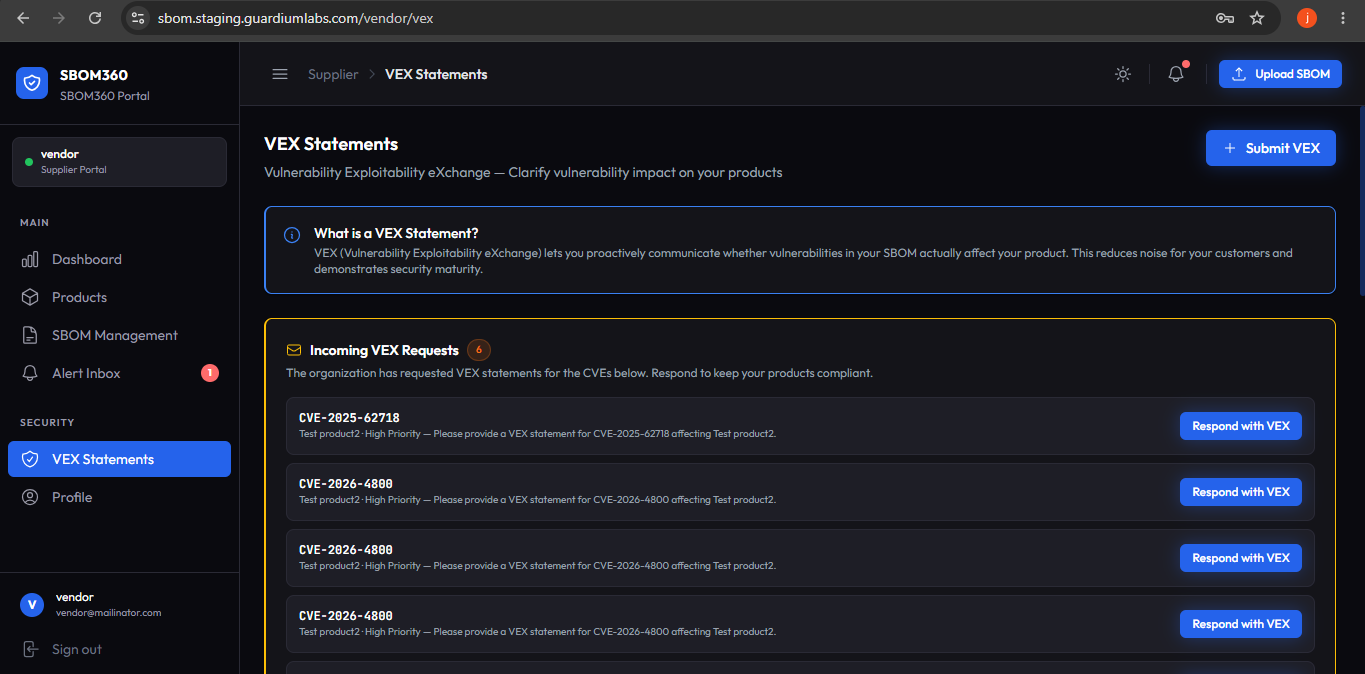
VEX Statements
VEX (Vulnerability Exploitability eXchange) lets you proactively communicate whether vulnerabilities found in your SBOM actually affect your product. This reduces noise for your customers and demonstrates security maturity.
VEX Statements list
Shows every VEX document you have submitted, filterable by status tab. Each entry shows the document title and ID, up to four CVE pills with their VEX status, author, submission date, and total statement count.
Submitting a VEX statement
Click Submit VEX to open the creation form.
Section 1 — Product and SBOM Context
If you arrived from a product or SBOM page, the context is pre-filled and shown as a compact confirmation card (with a Change link). Otherwise, select a Product, then choose a specific SBOM Version from that product's scanned SBOMs — vulnerabilities from that scan are used to help populate the statement.
Completing the statement
- VEX Status: select Not Affected, Affected, Fixed, or Under Investigation for the CVE(s) covered.
- Justification: required for Not Affected — choose the applicable OpenVEX justification.
- Action Statement and Remediation Date: describe remediation and, for Affected/Fixed, provide a target or actual fix date.
- Submit: save the VEX document.
VEX document detail page
Shows the document title, ID, author, and submission date, plus every statement it contains with CVE ID, VEX status, justification, and any recommended action. Click Export to download the document.
Best Practice: Submit VEX statements proactively — even before a customer or organization asks — whenever you determine that a newly disclosed CVE does not affect one of your products. This builds trust and reduces the number of alerts and VEX requests you receive later.