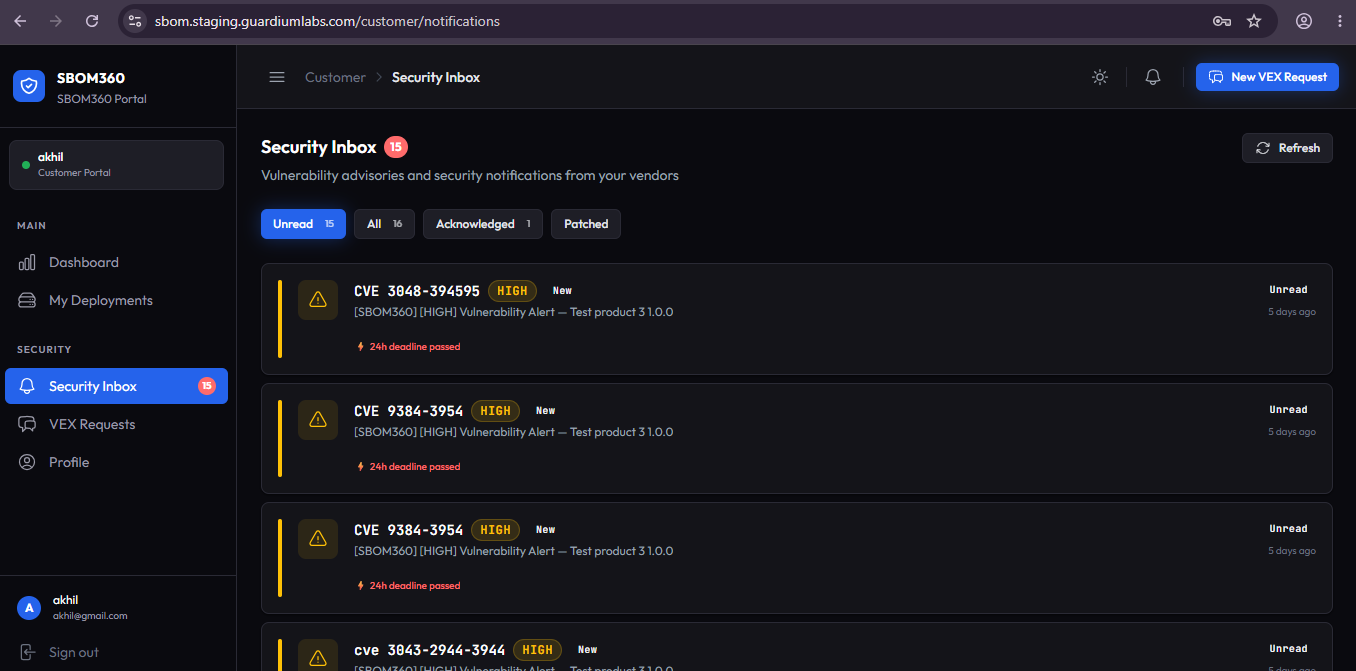
Security Inbox
The Security Inbox lists every vulnerability advisory sent to you, with a red badge on the sidebar showing your unread count.
Filters
Tab filters (for example, All, Unread) each show a live count. Each list entry shows the primary CVE, severity badge, a New tag for unread items, the advisory message, up to three additional CVE chips, status, and time received.
Notification detail page
Opening an advisory shows the full details: all related CVEs, status, and when it was received.
Responding to an advisory
- Acknowledge — confirms you have seen and reviewed the advisory.
- Mark Investigating — flags that you are actively assessing impact on your deployment.
- Mark as Patched — opens an inline note field to describe the fix applied, then Confirm Patched.
- Request VEX — jumps to a pre-filled VEX request for the CVE(s) in this advisory.
Details shown
The main panel includes affected product and version information, the fixed-in version if available, the full advisory message, and any remediation guidance provided. The right-hand sidebar summarizes status, severity, sent and acknowledged dates, and a timeline of every status change on this advisory.
Best Practice: Use Mark Investigating as soon as you begin assessing an advisory, even before you have a final answer — it keeps your status visible to the organization and stops the alert from appearing as untouched.