Getting Started as a Customer
20.1 Signing in
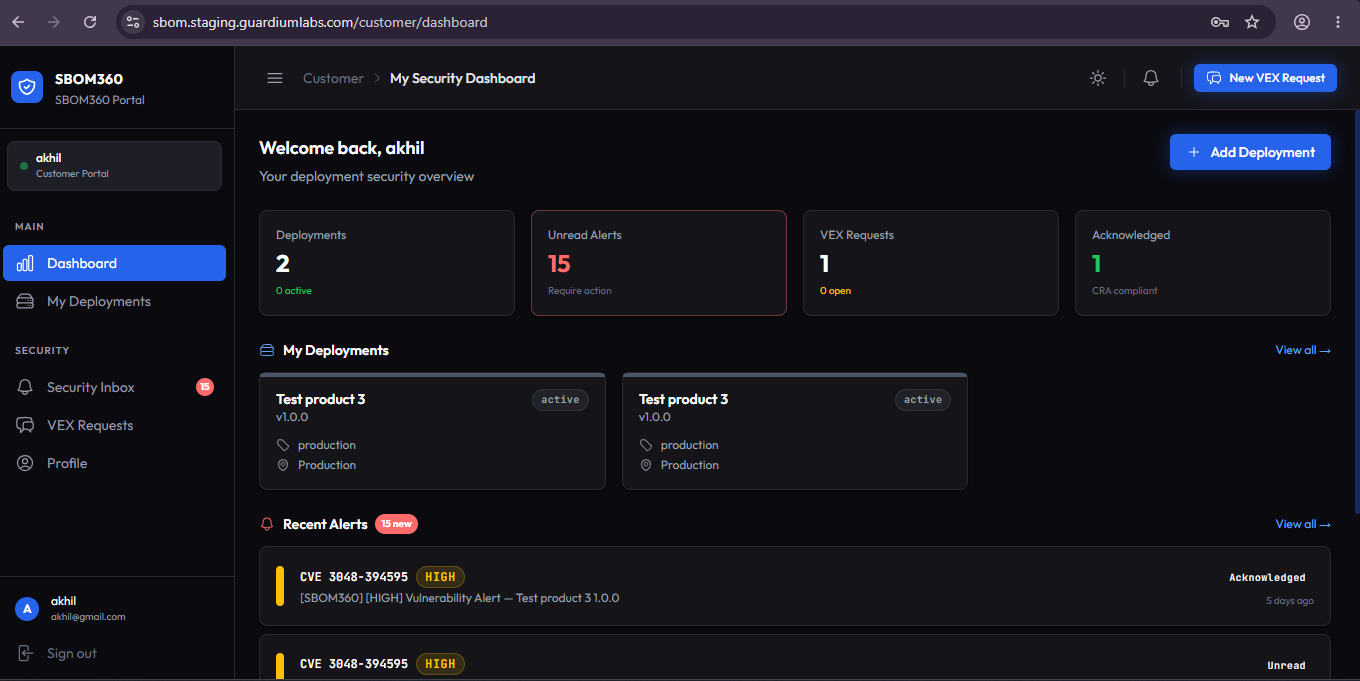
Your organization creates your customer account and provides sign-in credentials. Go to the platform's sign-in page and enter your username or email and password. You are taken directly to your Security Dashboard.
20.2 Completing your profile
If your account is active but your customer profile has not yet been completed, a Complete your profile card appears at the top of your dashboard.
- Company Name: enter your organization's name.
- First Name and Last Name: enter your name.
- Get Started: click to finish setup. This only takes a moment and unlocks the rest of the portal.
20.3 The customer portal layout
The customer sidebar has five items: Dashboard, My Deployments, Security Inbox, VEX Requests, and Profile. A red badge on Security Inbox shows your unread alert count.